
Utility-Scale Solar Design
Stop redesigning.
Design for the site you will actually build.
The Gap
It looks finished on screen. Then it meets the ground.
Most CAD solar tools hand you a drawing. Construction needs a design that survives real dirt.
Terrain
Your site isn't flat. Design like it.
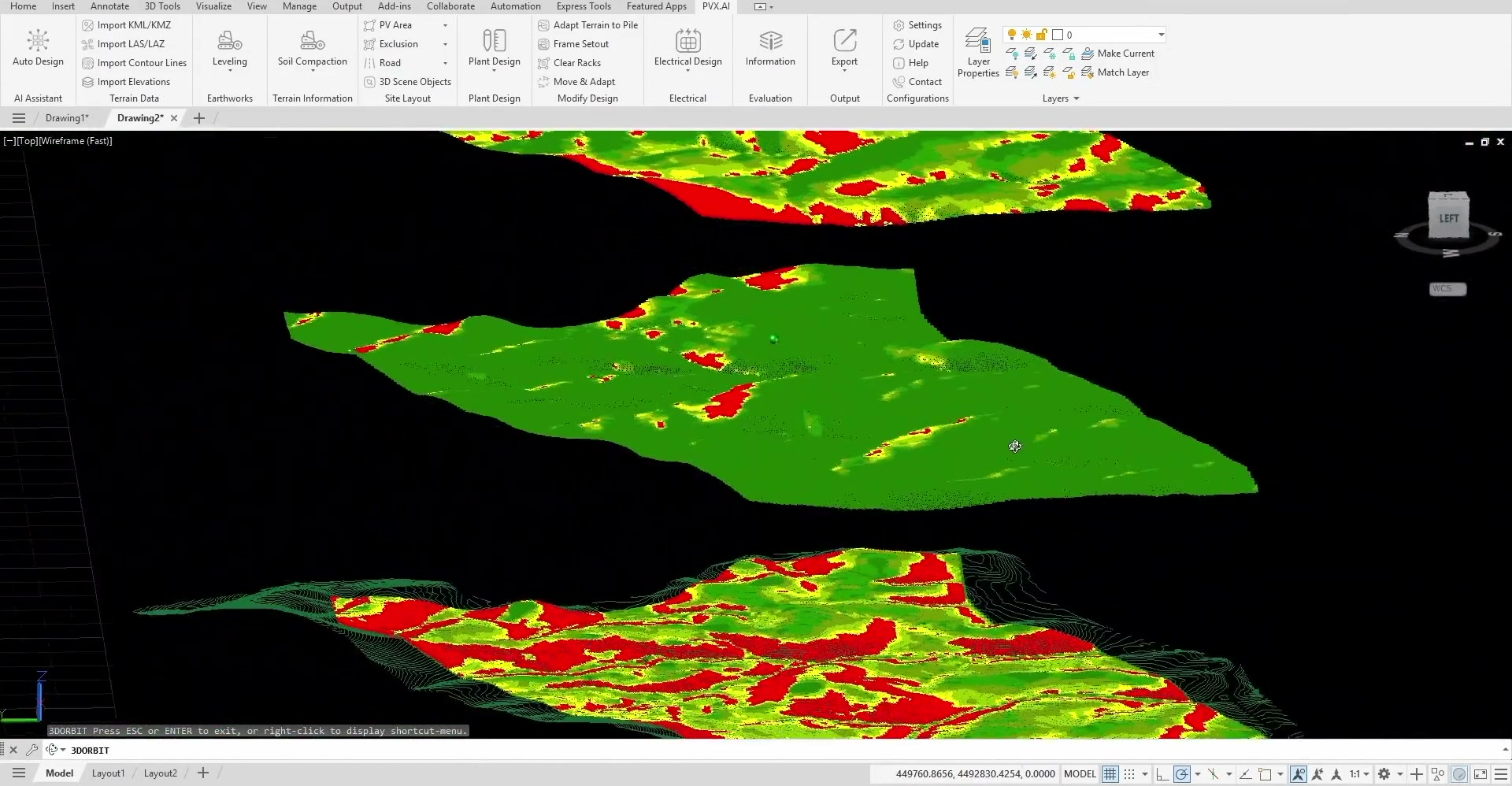
Most layout tools start on a flat plane and meet the real terrain later, on site. PVX imports the actual surface first, so slope and elevation shape the layout while it can still change cheaply.
Grading
Grading that actually builds.
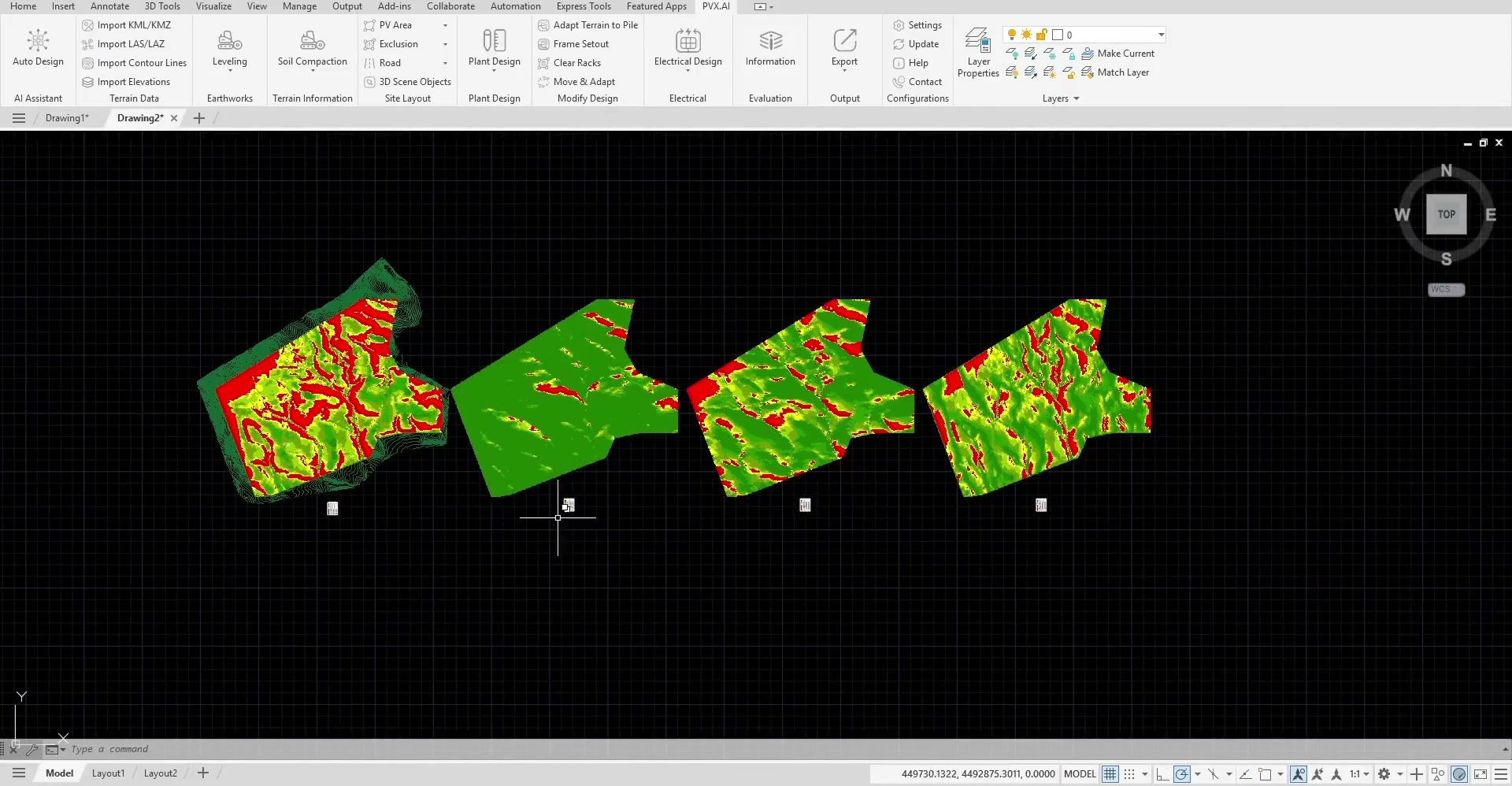
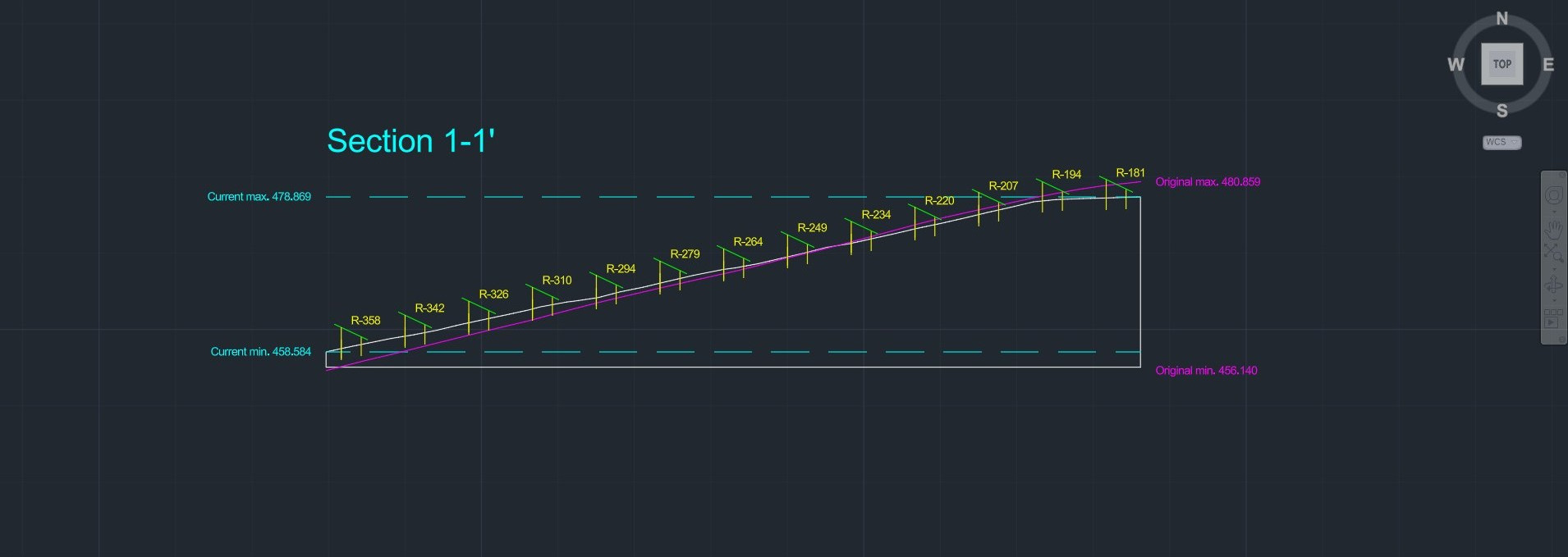
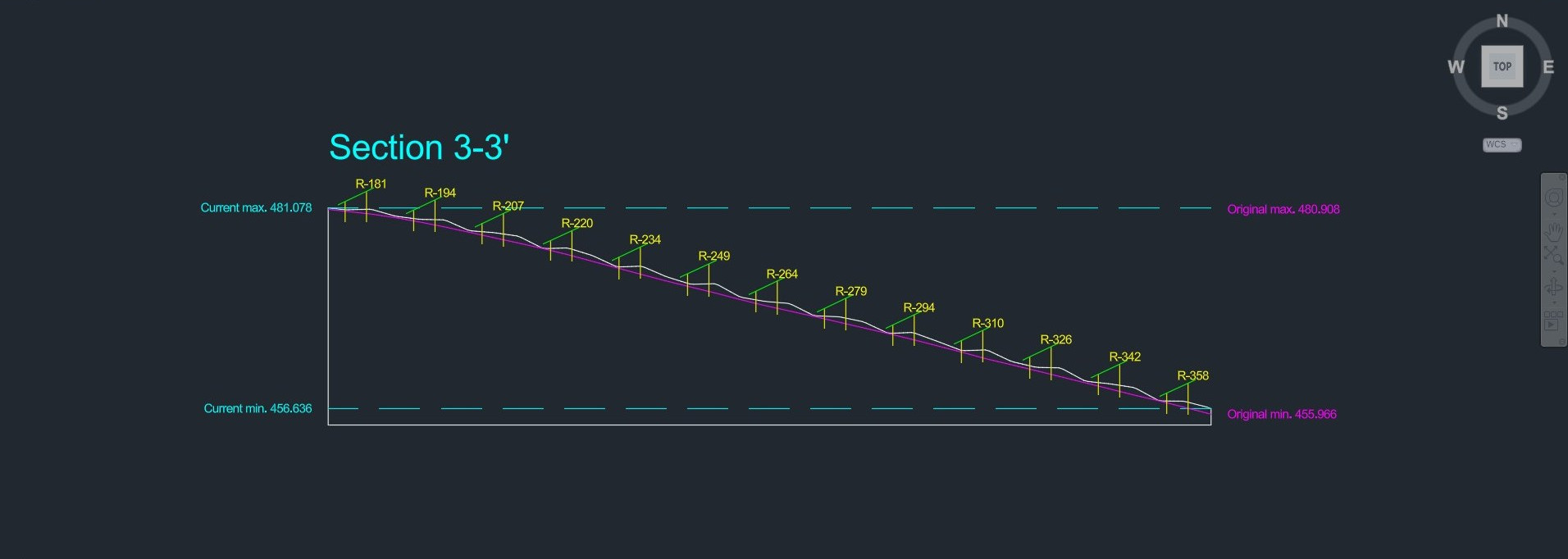
Grading is two jobs, not one. Smoothing makes the whole site a continuous surface a grader can cut; adapt-to-pile then fits each rack where the grade still fights it, filling the dips under a long table. PVX does both, so the plan is actually buildable.
$727,105 saved on a hard-rock site in a recent case study by our team, just by optimizing the grading approach.
Smoothing
Adapt to pile
Civil Risk
Find pile refusals and flood paths first.
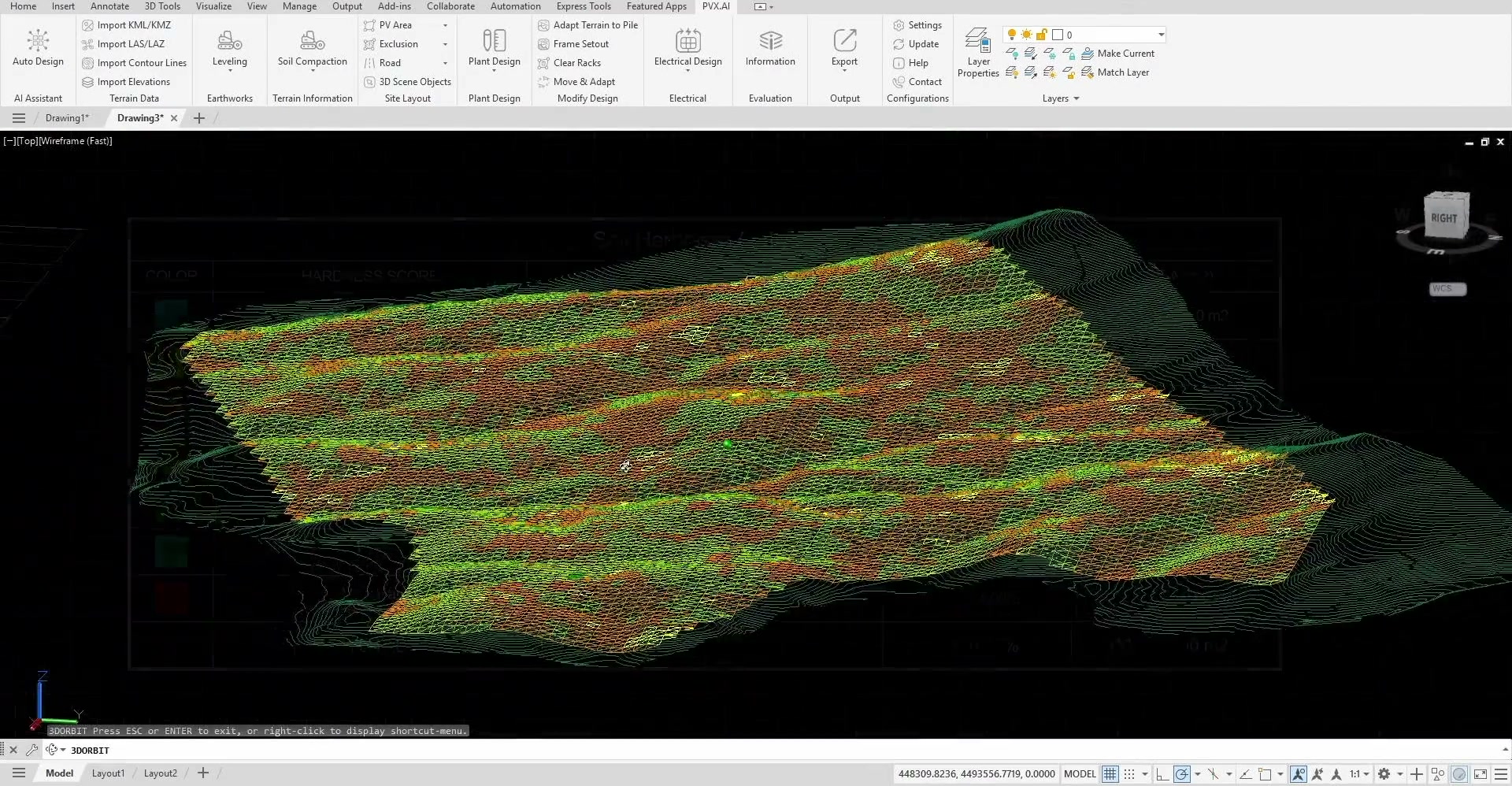
Drainage and soil hardness should shape the layout before it is approved, while the design is still editable.
Drainage
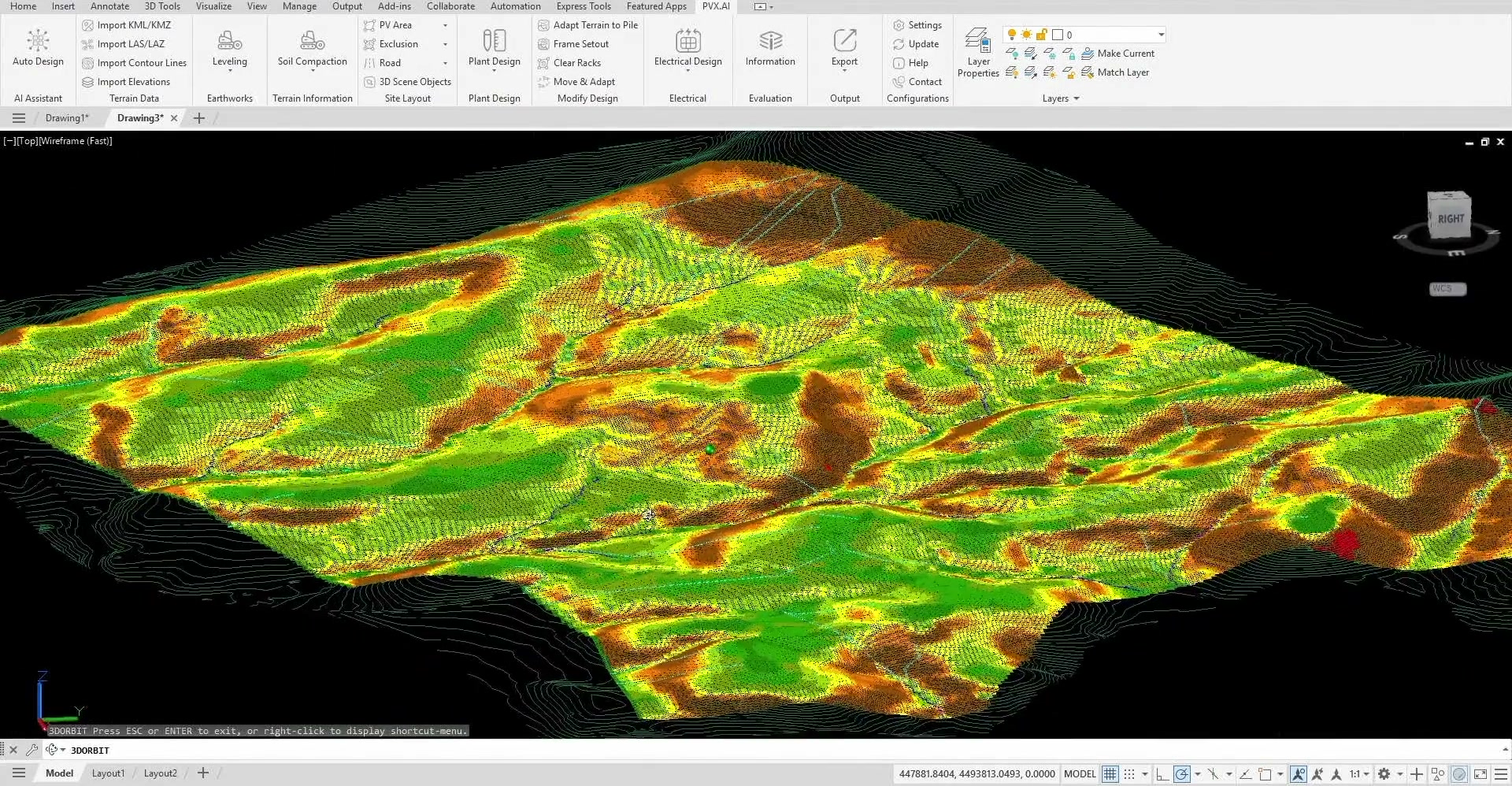
Soil hardness
Electrical
Trench routes you don't redraw by hand.
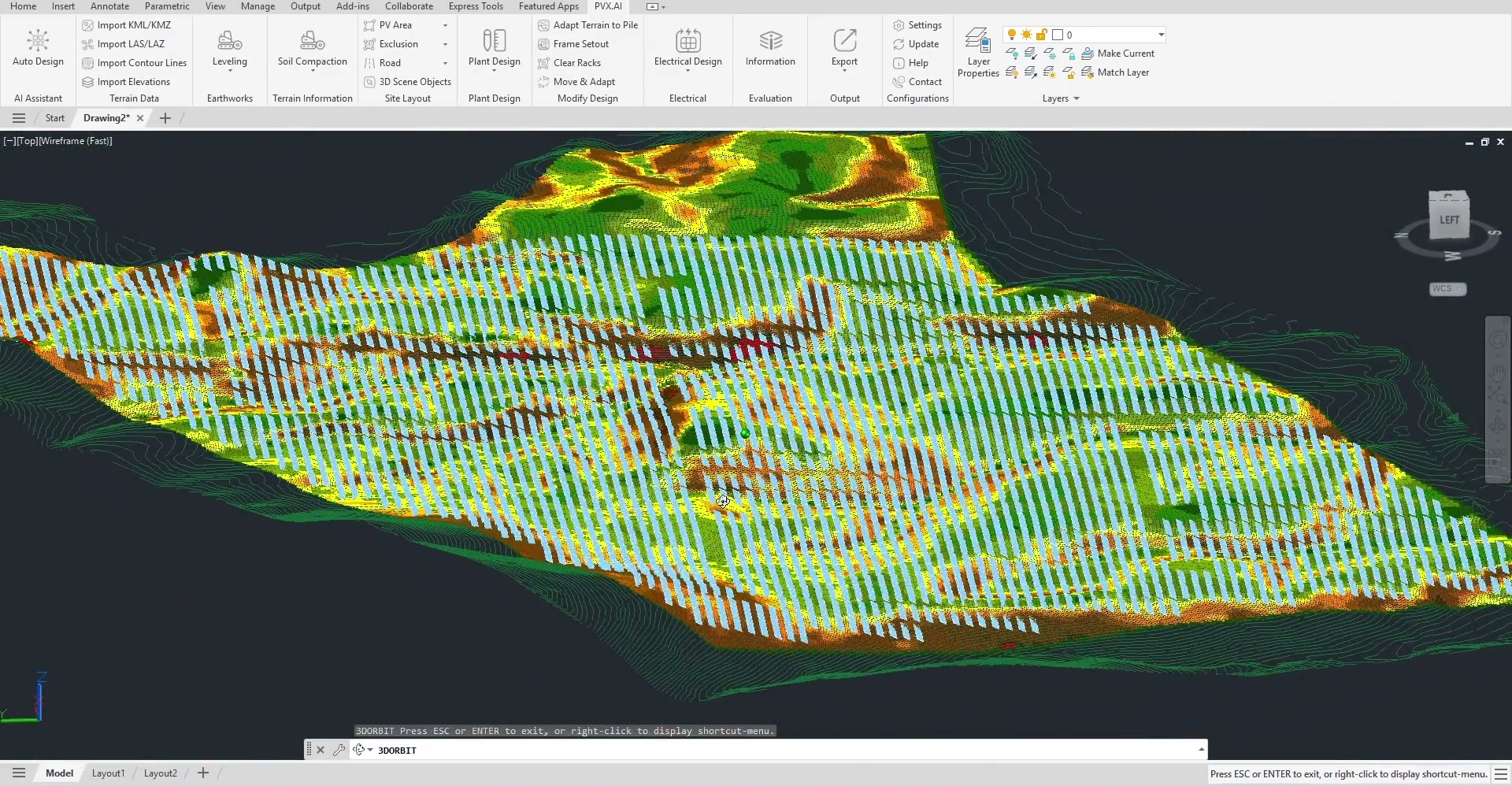
Most CAD solar tools route trenches through paths no crew can dig, then leave you fixing them cable by cable. PVX routes on your real road corridors and around your exclusion zones, so the cable plan is buildable as drawn.
In a recent study by our team, optimizing the cable routing saved $429,936 on a 130 MW solar project.
Routes follow your roads, avoid your no-go zones
Voltage drop on every string, not an average (IEC 62548)
No manual rerouting. Cables update automatically as you move devices around.
Performance
Geometry is yield.
Spacing, shading, cable length, and annual loss move together.
46%
In a recent study by our team, shading loss swung this much between layout options.
997 MWh
The energy a project can win or lose every year, on layout alone.
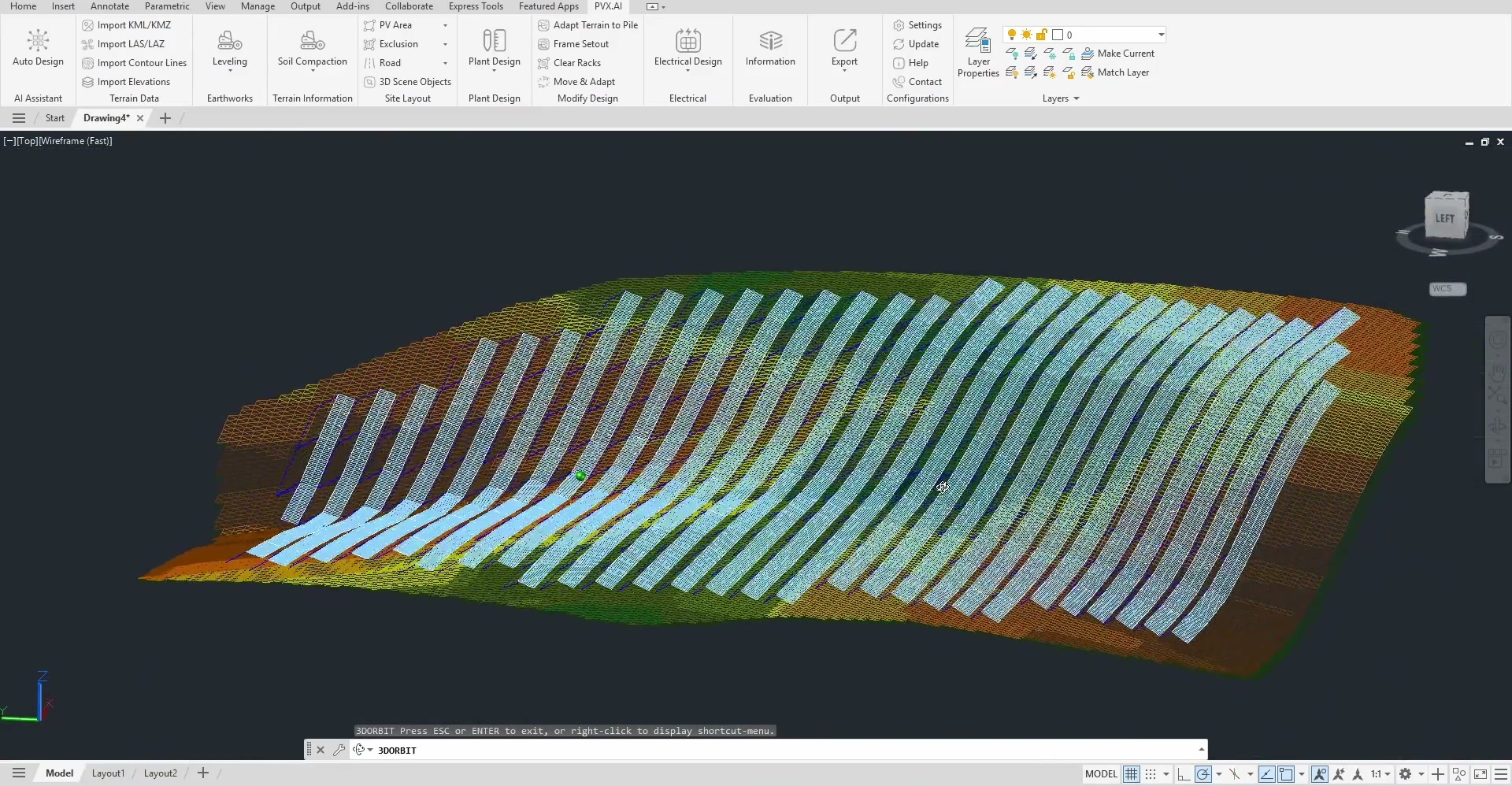
See where geometry drives loss across the terrain.
Autodesign
All of it. Automatically. One data model.
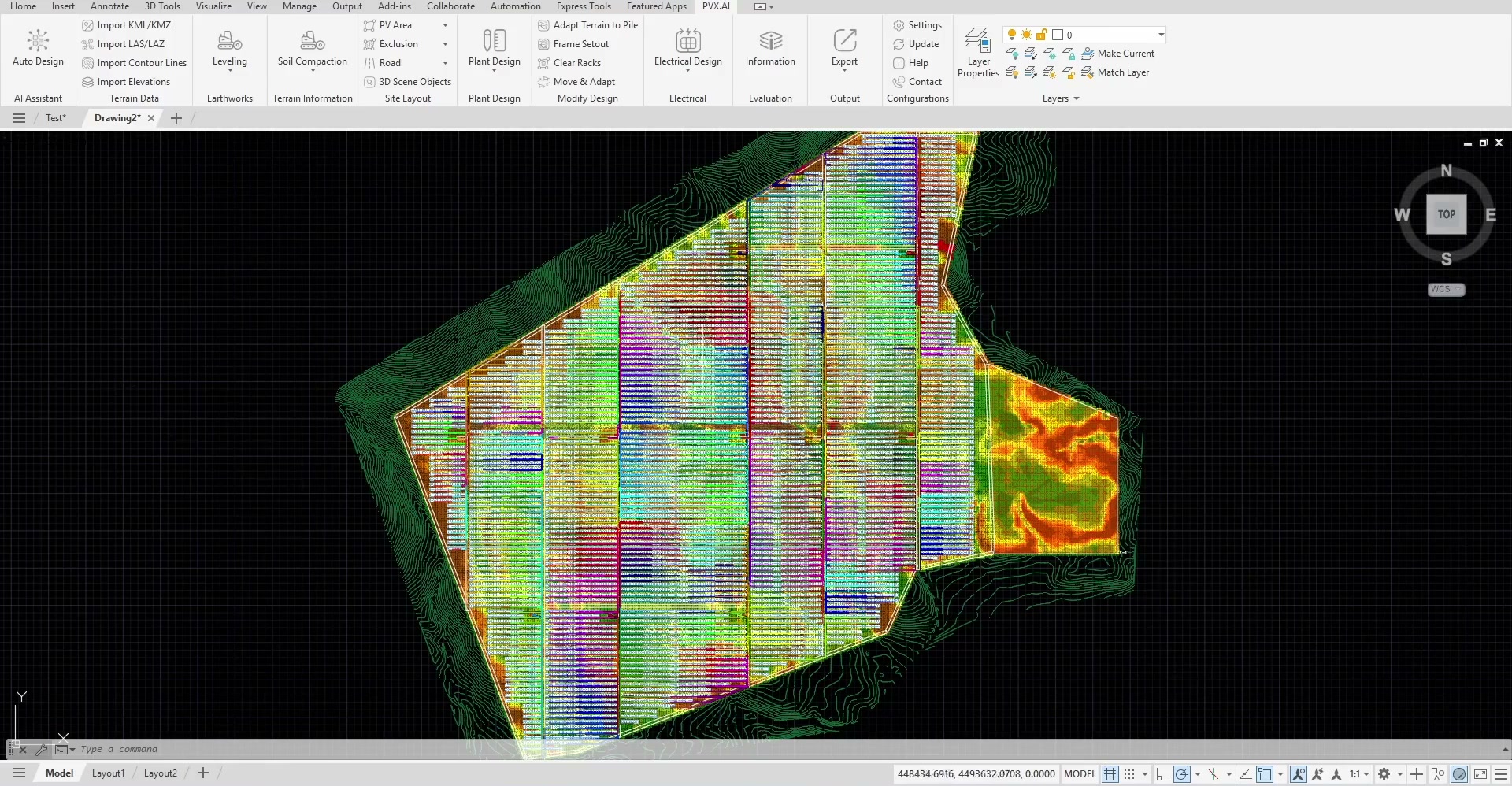
PVX generates the full electrical design (terrain fit, string sizing, cabling, voltage drop, export) on one data model. No file is passed by hand, so nothing gets re-keyed and nothing drifts.
3-4 weeks to a few-hour loop
No spreadsheet passed by hand
Built to IEC / IEEE code
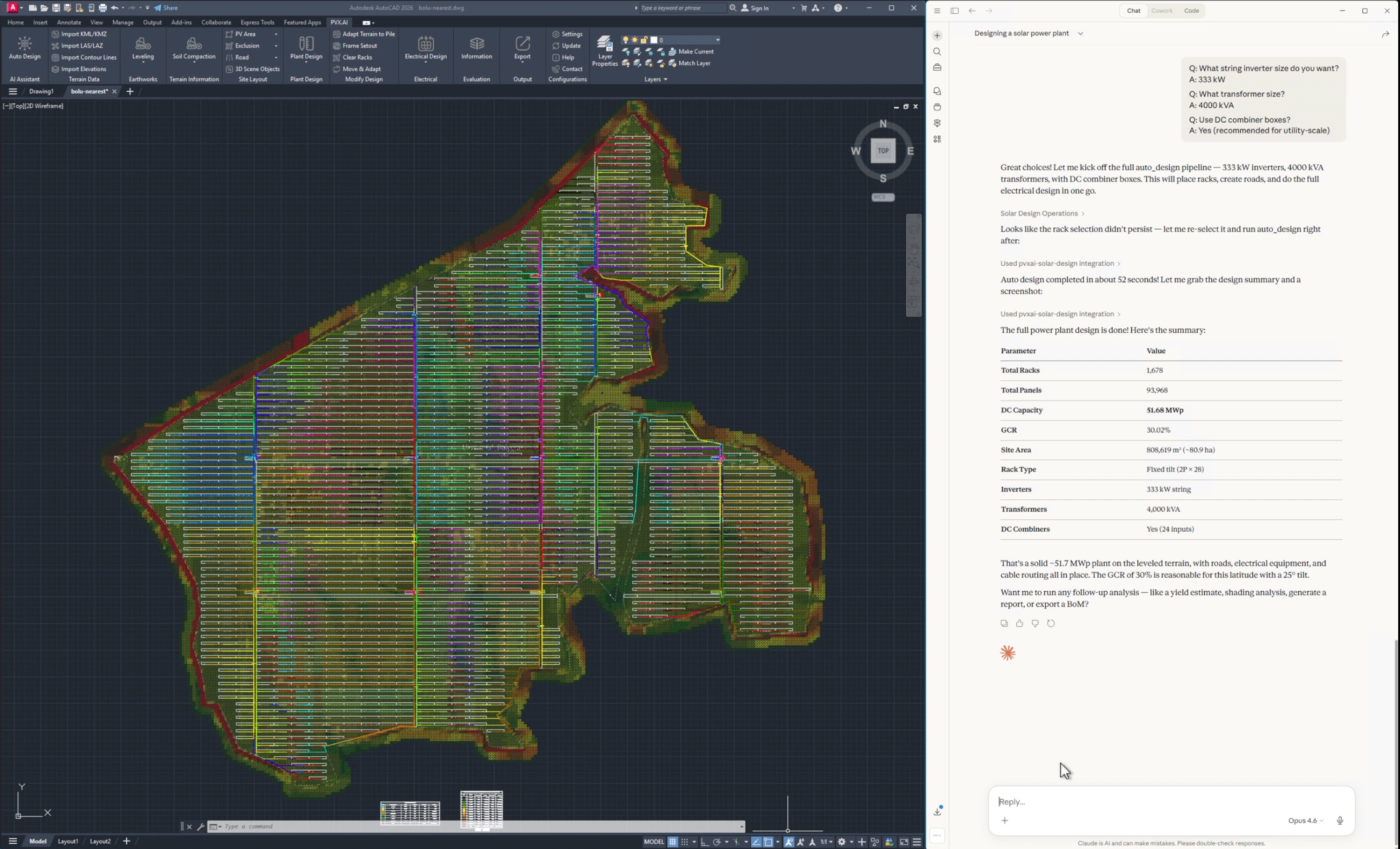
AI Assist
An AI copilot inside your AutoCAD.
Ask the built-in assistant to run the design steps for you. It drives the same pipeline you would, so new hires get productive fast and seniors stop answering the same setup questions.
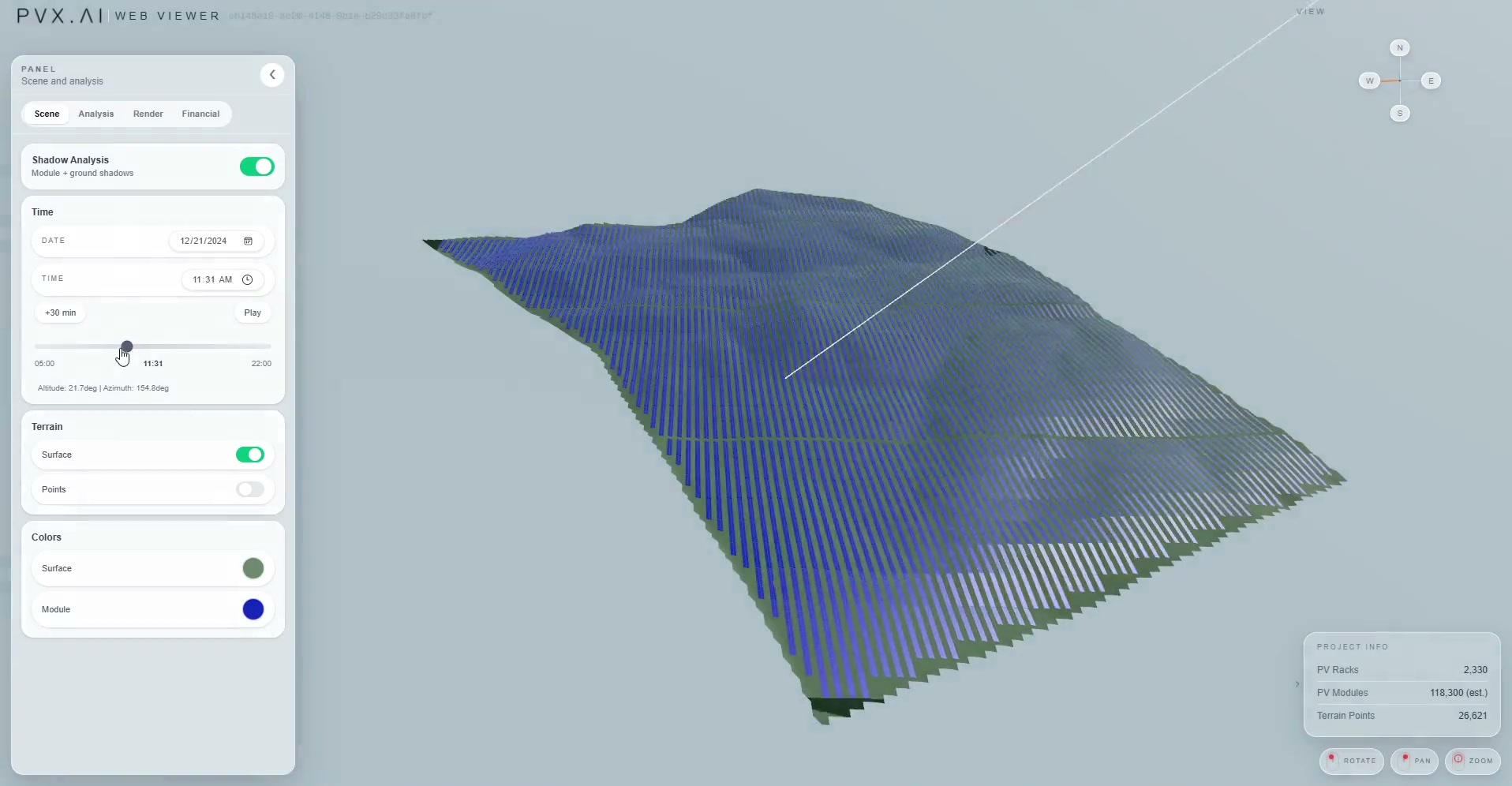
PVX.View
The whole project. In a browser. No AutoCAD.
You do all the design in AutoCAD with PVX.Cad, then export to PVX.View. The live model opens in any browser and renders beautifully on phones and desktops alike, so developers, lenders, and managers can review the design, its financials, and yield without ever touching CAD.
Trusted
Trusted where mistakes are expensive.
Used by solar developers, EPCs, and engineering teams that need the design to survive contact with terrain.